Desktop browser
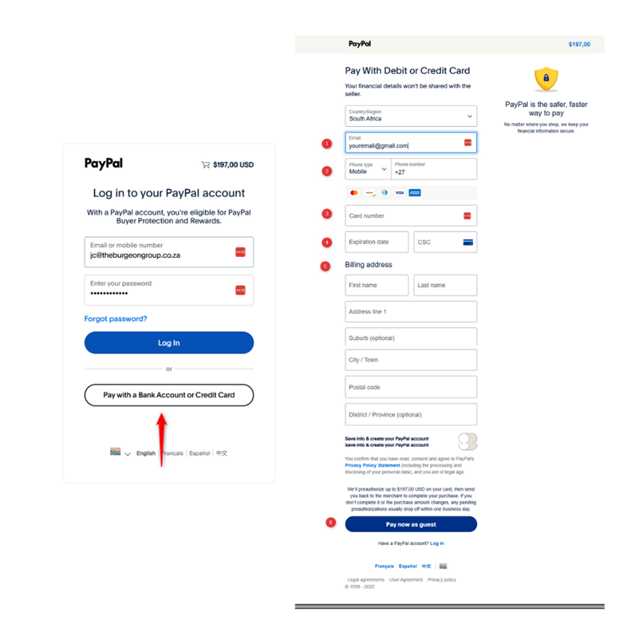
- Click “Enroll Now” and you’ll land on the PayPal screen.
- Instead of logging in, click “Pay with a Bank Account or Credit Card” (just below the blue Log In button).
- You’ll be able to securely enter your card details—no PayPal account needed.
Simple, secure, and done in under 2 minutes.
Mobile Browser:
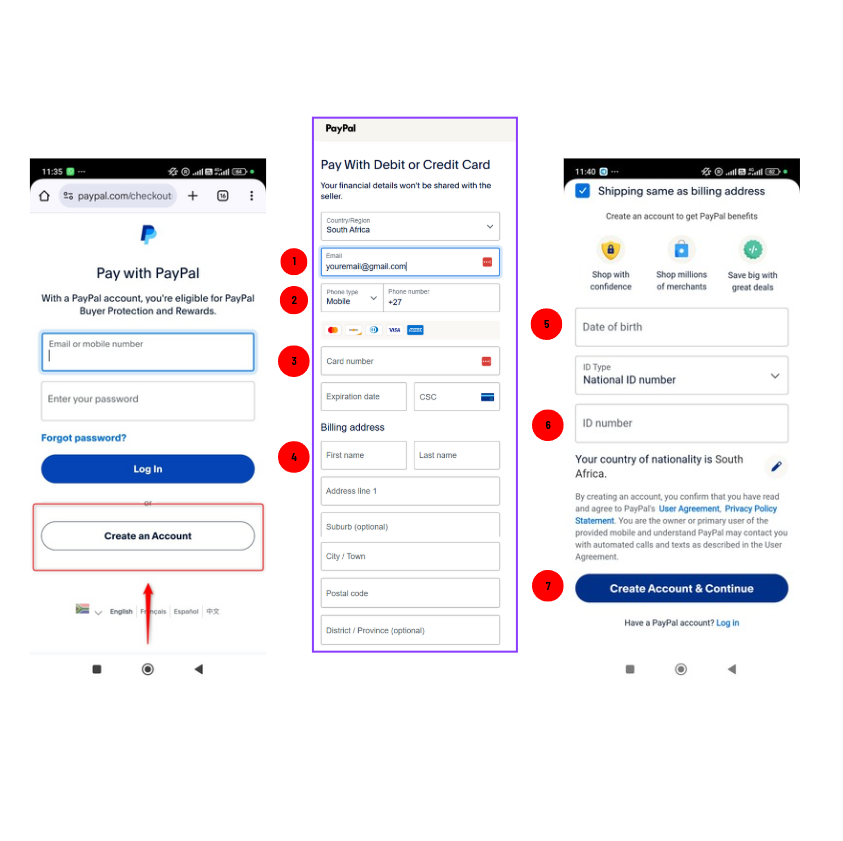
- Click “Enroll Now” and you’ll land on the PayPal screen.
- Instead of logging in, click “Create account” (just below the blue Log In button).
- You’ll be able to securely enter your card details
- Enter your details to create a PayPal account
- Date of Birth
- Identification number
- Click 'Create account & continue
Having issues? Reach out to us at [email protected] — we’ve got you
